 Converting dense lecture notes to video lessons is one of the kindest adjustments an independent educator, workshop leader, or professional skills coach can make for adult students who are trying to learn after a full workday. Anyone who teaches evening cohorts, professional certification workshops, or self-paced creative courses has seen the same pattern play out by week three. Students sign up with genuine enthusiasm, attend the first live session, and download your twelve-page PDF study packet. Then life gets busy.
When a working parent or full-time freelancer sits down at nine o’clock on a Wednesday night to catch up on course material, staring at twelve single-spaced pages of bulleted lecture notes feels like a wall. They read the first two pages twice, realize they are too tired to connect the sub-bullets on their own, and quietly close the laptop for the night.
The issue is rarely a lack of motivation. It is that raw teaching notes were written as memory prompts for the instructor, not as a guided path for a tired learner.
Why converting lecture notes to video lessons reduces adult study overload
When an instructor writes lecture outlines in Word, Google Docs, or a slide deck, a single bullet point often stands in for three minutes of spoken explanation and a real-world example. To the teacher who wrote the line, “Principle 3: Separate exploratory drafting from structural editing,” that seven-word bullet carries years of practical meaning. To a student reviewing the notes alone at home, it reads like an abstract rule with no obvious starting point.
Educational psychology and user research on minimizing cognitive load from Nielsen Norman Group show that people absorb unfamiliar material much more comfortably when complex ideas are broken into small, sequential steps that pair clean visual anchors with calm spoken guidance. Instead of asking learners to decode a dense page of text and imagine how the concepts fit together, a four-minute video lesson walks them through one idea at a time at a steady human pace.
Notice what changes when you shift from handing out raw lecture packets to offering short, modular video recaps:
| Study Format for Evening Learners |
How It Feels After an 8-Hour Workday |
Where Learners Typically Get Stuck |
Best Use in a Course or Workshop |
| 12-page single-spaced lecture notes |
Overwhelming; hard to tell which point matters most right now |
Skimming shorthand bullets without hearing the practical example |
Printable workbook appendix or post-lesson reference sheet |
| 90-minute unedited Zoom replay |
Exhausting; full of administrative chatter and long pauses |
Giving up at minute 20 because it takes too long to reach the core concept |
Archival backup for students who missed a live Q&A discussion |
| 4-minute focused video lesson |
Manageable; easy to finish with a cup of tea in one sitting |
Almost never, provided each clip sticks to one clear takeaway |
Pre-session preparation and bite-sized evening review |
A calm four-step habit for turning teaching notes into five-minute lessons
Many independent teachers hesitate to create video lessons because they picture hours of camera setup, bad hair days, vocal fatigue from repeating takes, and late nights learning complicated timeline software. In reality, you can build warm, clear lessons directly from the teaching documents you already have without turning your study into a film set.
1. Pull one single question out of each lecture outline
Look at the notes for your next sixty-minute workshop and circle the three or four core turning points where students usually raise their hands. Do not try to summarize the entire lecture in one video. Pull out a single question that can be answered in three to five minutes, such as:
- How to set boundaries on a client project scope before you send the estimate
- The three-minute pre-writing routine that stops blank-page procrastination
- How to read a cash-flow projection without getting lost in accounting terms
Leave the remaining side tangents and optional reading lists in your written handout.
2. Turn your written outline into conversational scene cards
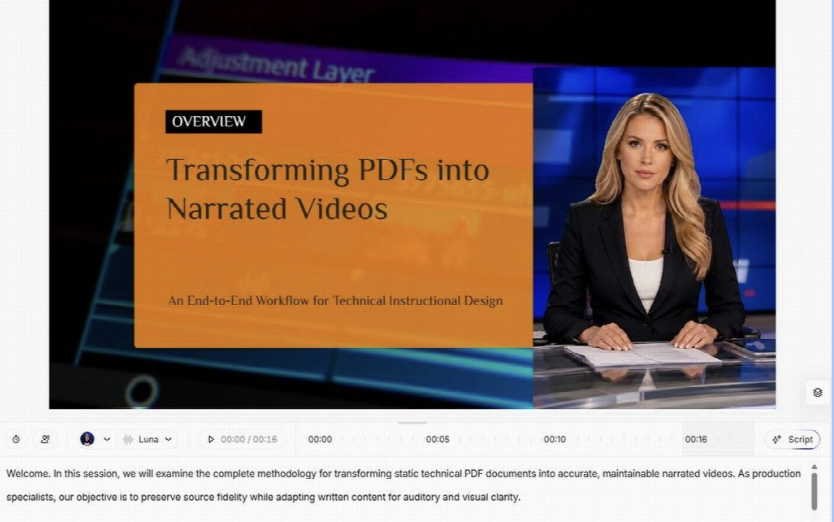
When educators turn lecture notes into focused video lessons using Leadde.ai, they can upload their existing .docx, .pdf, .pptx, or .txt lecture notes directly into the AI Video Creator, choose their audience and teaching objective, and select the Summary (1 to 3 minutes) or Balanced (3 to 5 minutes) length option to generate a clean scene outline and spoken script.
Once the draft scenes appear in the studio editor, read the script out loud as if you were speaking to a single student across a coffee table. Replace stiff written transitions like “Furthermore, it is imperative to consider” with plain, encouraging language like “Here is the part most people skip on their first try.” Keep each visual scene uncluttered: display one key phrase or simple diagram on screen while the narration tells the story behind it.
3. Use warm pacing, intentional pauses, and clear subtitles
Fast, breathless narration makes learners feel rushed. Inside the voice settings, choose a calm, measured voice profile (or pair an on-screen presenter in the opening scene with clean voice-only slides during examples) and insert a one-second pause after every major insight. That brief quiet beat gives the listener time to jot down a phrase in their notebook before the next scene begins.
Always include synchronized on-screen subtitles. Many adult learners study on a tablet in a shared living room or on a quiet train ride home where playing audio out loud isn’t an option. Clean, well-spaced captions let them follow every example effortlessly with the volume turned down low.
4. Close every lesson with one small reflection question
Instead of ending your video with a rapid-fire summary of ten bullet points, close on a single reflection prompt that invites the student to connect the lesson to their own week. Ask something concrete they can answer in two sentences in their workbook: “Before you open the next module tomorrow, write down one project on your desk right now where applying this three-step filter would save you an hour this Friday.” Finishing a four-minute lesson and answering one honest question gives learners a real sense of forward momentum, which is what brings them back to the course tomorrow night.
P.S. Before you zip off to your next Internet pit stop, check out these 2 game changers below - that could dramatically upscale your life.
1. Check Out My Book On Enjoying A Well-Lived Life: It’s called "Your To Die For Life: How to Maximize Joy and Minimize Regret Before Your Time Runs Out." Think of it as your life’s manual to cranking up the volume on joy, meaning, and connection. Learn more here.
2. Life Review Therapy - What if you could get a clear picture of where you are versus where you want to be, and find out exactly why you’re not there yet? That’s what Life Review Therapy is all about.. If you’re serious about transforming your life, let’s talk. Learn more HERE.
Think happier. Think calmer.
Think about subscribing for free weekly tools here.
No SPAM, ever! Read the Privacy Policy for more information.
One last step!
Please go to your inbox and click the confirmation link we just emailed you so you can start to get your free weekly NotSalmon Happiness Tools! Plus, you’ll immediately receive a chunklette of Karen’s bestselling Bounce Back Book!