
Get A Sneak Peek at my book “Your To-Die-For Life”!
Get a FREE sneak peek! Learn how to use Mortality Awareness as a wake up call to live more boldly.


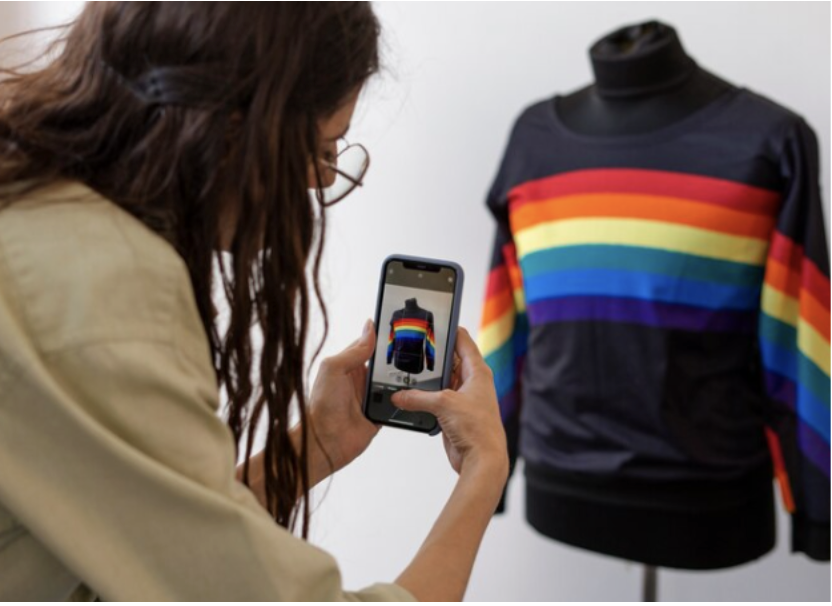 A beginner’s head-to-head of a print-on-demand marketplace and a fulfillment platform, comparing products, fees, earnings and control.
You’ve got a few designs you love and a plan to sell them on T-shirts and hoodies. Print on demand means you don’t need to buy stock first, but there’s still a big choice to make before you upload anything.
You can sell through a ready-made marketplace that brings its own shoppers, or connect a print-on-demand partner to a store you run yourself. Redbubble and Printify are popular examples of each approach, and comparing them side by side shows which path suits a beginner best.
Redbubble suits artists who want to upload designs and let a marketplace handle everything else, accepting lower earnings in return.
Printify suits beginners who want to build a clothing brand of their own, with a bigger catalog, more print methods, and more control over pricing and profit.
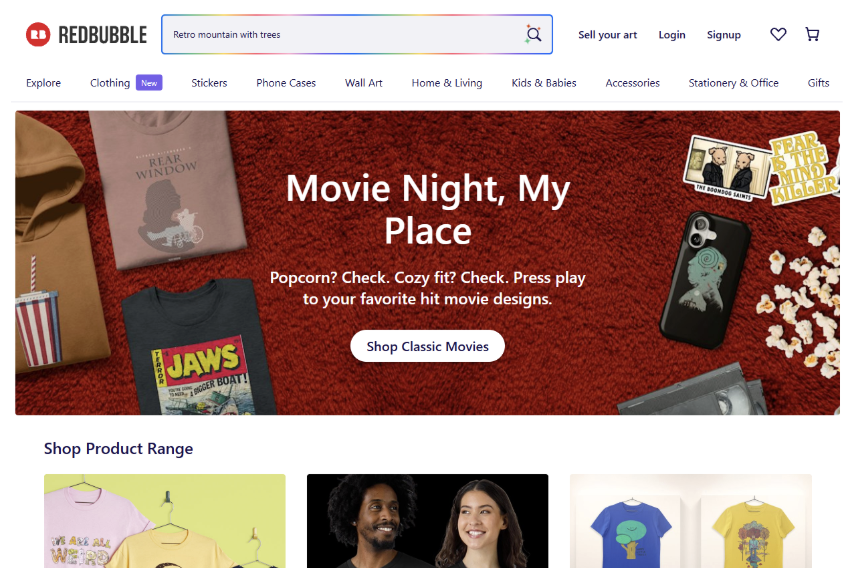
Redbubble is an online marketplace where independent artists upload designs that shoppers can buy on a range of products.
Creating an account and a shop is free.
When someone orders, a third-party manufacturer prints the item, and Redbubble handles shipping and customer service. Each product has a base price set by Redbubble, covering its service fee and the manufacturing cost, and you add a markup on top that becomes your earnings.
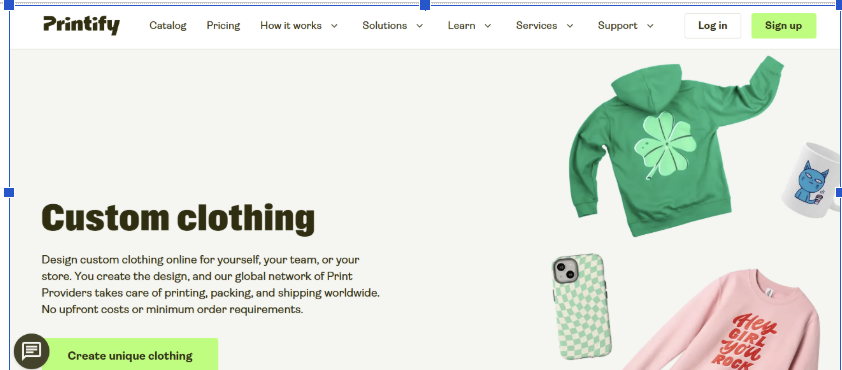 Printify connects you to a network of 140+ print facilities that produce and ship products worldwide, with a catalog of more than 2,000 items.
You connect it to a storefront such as Etsy, Shopify, Amazon, or TikTok Shop, and orders go straight to production.
It isn’t only for resellers. You can sign up for free, pick a product, add your design, logo, or text in the free Product Creator, and order a single shirt or hoodie for yourself, with no minimums and no upfront costs. That makes it easy to test a design before you sell it.
Redbubble offers a curated set of product types, with apparel printed by direct-to-garment (DTG) or sublimation. That’s plenty for testing a few designs, but it limits how far a clothing brand can grow.
Printify’s catalog is much larger, and it offers DTG, DTF, sublimation, and embroidery depending on the product. For a beginner planning hoodies, embroidered hats, or all-over prints later, that range matters.
Winner for products: Printify.
On Redbubble, you set a markup on the base price, and account fees come out of your earnings. New artists start in the Standard tier, which pays a 50% platform fee on monthly earnings; Premium pays 20%, and Pro pays nothing. Standard and Premium accounts also pay an excess markup fee of 50% on earnings from markup above 20%, with total account fees capped at $150 a month.
Redbubble’s own example shows how that adds up: a 20% markup on a $20 base price earns $4 before fees. On a Standard account, half of that goes to the platform fee, leaving about $2.
With Printify, you pay production and shipping when an order comes in and set your own retail price. Its example for a Unisex Softstyle T-Shirt shows a $7.95 production cost, a $13.25 selling price, and about $5.30 profit, before your storefront’s fees.
| Redbubble | Printify | |
| Model | Marketplace | Fulfillment for your own store |
| Cost to start | Free account | Free to start |
| How you pay | Account fees on earnings (Standard 50%, Premium 20%, Pro 0%) | Production and shipping per order |
| Pricing control | Markup on Redbubble’s base price | You set the retail price |
| Print methods | DTG and sublimation | DTG, DTF, sublimation, embroidery |
Winner for earnings: Printify, as long as you’re ready to bring in your own customers.
Redbubble is the simpler start. You upload artwork, choose products, and the marketplace handles listings, checkout, printing, shipping, and customer service. The trade-off is that you compete with many other artists on the same site and have little control over how your store looks.
Printify asks a bit more of you, because you connect a storefront and handle your own marketing. In return, you choose where you sell, how you price, and how your brand looks, and you can add more sales channels as you grow.
Winner for simplicity: Redbubble. Winner for brand building: Printify.
Pros
Cons
Pros
Cons
Choose Redbubble if you mainly want to share your art, don’t want to run a store, and are happy with smaller earnings per sale in exchange for convenience.
Choose Printify if you want to build a clothing brand of your own, sell on Etsy or Shopify, and keep more control over products, pricing, and profit.
Some sellers use both: a marketplace to test which designs get attention, and their own store for the ones that sell.
Both platforms let beginners sell clothing without buying inventory, but they lead to very different businesses. Redbubble is the easiest way to get designs in front of shoppers, while Printify gives you the products, print methods, and pricing control to grow a brand that’s truly yours.
If you’re serious about starting an online clothing store, begin with a small collection on your own storefront, order a sample, and expand once you know what your customers want.
Which print-on-demand platforms help beginners start an online clothing store? Marketplaces such as Redbubble let you upload designs and sell to existing shoppers, while fulfillment platforms such as Printify print and ship products for a store you run on Etsy, Shopify, or other channels.
Is Redbubble free to use? Creating an account and shop is free, but Standard and Premium accounts pay platform fees on earnings when they make sales, plus a fee on markups above 20%.
Do I need money to start a print-on-demand clothing store? Not for inventory. You pay production and shipping when an order comes in, and your main early costs are samples and any storefront fees.
Can I order a single custom shirt for myself? Yes. Fulfillment platforms with no minimum order let you design and order one piece, which is a smart way to check quality before selling.
Can I use a marketplace and my own store at the same time? Yes. Many sellers test designs on a marketplace and move their best sellers to a store they control.
P.S. Before you zip off to your next Internet pit stop, check out these 2 game changers below - that could dramatically upscale your life.
1. Check Out My Book On Enjoying A Well-Lived Life: It’s called "Your To Die For Life: How to Maximize Joy and Minimize Regret Before Your Time Runs Out." Think of it as your life’s manual to cranking up the volume on joy, meaning, and connection. Learn more here.
2. Life Review Therapy - What if you could get a clear picture of where you are versus where you want to be, and find out exactly why you’re not there yet? That’s what Life Review Therapy is all about.. If you’re serious about transforming your life, let’s talk. Learn more HERE.
Think about subscribing for free weekly tools here.
No SPAM, ever! Read the Privacy Policy for more information.