The days when students spent their evenings in dusty library halls are long gone. The modern generation actively uses a digital ecosystem of tools that transforms the learning way.
Online programs offer what traditional methods never could. They provide instant access to information and automate routine processes. The main frustrating challenge for modern students is to integrate technology into all aspects of their learning processes effectively.
Nowadays, the distinction between applications and web tools has become blurred as most services offer both web interfaces and native apps.
This article covers the best standalone applications and web-based platforms with apps that look great for boosting student productivity.
Let’s figure them out.
10 five-star apps to improve student productivity
One of the components of educational processes is the choice of the right tools.
Each of the tools below helps transform student chaos into a manageable system. Let’s take a look at which apps deserve a place on your desktop and smartphone.
1. Best project planning solution: GanttPRO
GanttPRO is Gantt chart software online that professionally combines ease of use and robust functionality. Students’ expectations for high-quality project planning, resource allocation, and team collaboration will surely be met if they choose this tool.
The platform serves as a trustworthy visual assistant in planning any educational project. Its users can schedule work processes of any complexity, transforming routine tasks into a clear system.
A powerful horizontal bar chart displays the sequence of tasks with their deadlines. Therefore, students get the whole picture, from project initiation to production and analysis.
Task dependency functionality is especially valuable. It allows for tracking which stages can be completed in parallel and which require the completion of previous steps.
GanttPRO comes with helpful pre-made templates for an easy start. It provides a free trial version that allows students to try all the capabilities of this smart tool.
2. Best time tracker: Toggl Track
All students suffer from the constant pressure of deadlines.
Toggl Track is an intuitive app that helps them succeed in time management. It performs on computers, tablets, smartphones, and browsers, with automatic data syncing. You just need to start a timer when an activity begins and stop it when it’s finished.
The app collects work statistics. It often turns out that exam preparation takes far fewer hours than expected, while chatting with friends on a messenger wastes an inordinate amount of time.
Thanks to this application, students can plan and control their activities on a daily basis. They use a reminder to track important events and dates. It stimulates a habit of mindfulness around time.
3. Best note-taking assistant: Notion
Students often take notes in a variety of places.
Notion assists in managing educational chaos, offering a creative workspace with notebook, planner, and database features.
This app allows students to organize information, analyze tasks, and plan semesters with ease. It’s also great for managing personal tasks and events, from party planning to keeping track of classmates’ birthdays. For this purpose, Notion offers Kanban boards, lists, and tables.
The app supports collaboration, allowing you to share pages with anyone you need. Handy pre-made templates are also available here.
4. Best app for financial control: YNAB
YNAB (You Need a Budget) helps manage a budget, especially when it’s tight.
Many students will agree that lack of money and unpredictable expenses are pressing issues.
This app is based on proactive planning. All income is instantly categorized according to goals and needs. It minimizes impulsive spending.
YNAB offers handy expense categorization. With the advanced goal-setting feature, students can save for major purchases or trips, automatically tracking their progress.
5. Best solution for communication: Discord
Any educational process requires a lot of communication from students. This is where Discord really helps.
This tool was originally created for gamers, but has since become a popular solution for comprehensive student collaboration.
This flexible platform allows for creating servers for study groups, project teams, or research clubs, with a system of channels for discussing various topics. You can generate separate text channels for each subject or general questions.
Here, students can share materials and communicate informally.
Discord offers convenient voice channels and screen sharing. A system of roles and permissions allows for organizing the necessary hierarchy within a channel. Message history is also available.
6. Best video conferencing app: Zoom
The modern educational environment involves video communication.
Zoom is a versatile solution that allows students to stay connected. The free version of this app allows multiple users to participate in video conferences simultaneously. It also makes it easy to set up one-on-one sessions.
Students often use this secure online communication space when they need to attend an online lecture, participate in a webinar, or discuss any educational project with their peers. It’s possible to share screens and send individual files here.
7. Best mind mapping solution: MindMeister
MindMeister turns chaotic thoughts into structured visual systems. It helps students prepare for exams.
Mind maps have a radial structure with a central theme and branching subtopics. Such a system boosts spatial memory, which significantly improves memorization.
The program attracts students with its user-friendly interface, simple color coding, and images that make the map easy to read.
MindMeister has a handy mobile version. It allows for capturing ideas on the go.
8. Best cloud storage: Google Drive
Students all over the world rely on Google Drive for its robust file storage. However, this comprehensive solution also offers other features, including collaboration tools.
The program allows for creating and editing documents directly in a browser without installing software. Students can collaborate on projects while simultaneously editing documents, greatly simplifying the preparation of group projects. With the advanced search system, you can easily find all the required files.
Additionally, Google Drive has a flexible permissions system that helps control who can view, edit, ot comment on files.
9. Best read-it-later system: Pocket
Information overload is a problem that has been a pressing issue in education for many years. Students work with large volumes of information, constantly encountering additional, useful sources of knowledge.
Pocket lets you save interesting articles, web pages, and videos for later reading. It’s easy to save content in Pocket with one click, rather than trying to read it now or losing the link forever.
This app saves and syncs your essential content across all your devices, making it accessible offline. You also get a recommendation algorithm that suggests articles based on your interests.
10. Best habit generator: Habitica
Habitica is an app that encourages the development of healthy habits and task completion by turning them into a role-playing game. It provides a personalized character who earns experience and treasures for real-life achievements.
In this app, students can create a list of habits they want to develop. These can be morning exercises, daily reading of a paper book, learning a foreign language, and more. Completing a task will grant rewards, while failing to complete it will damage your character’s health.
Habitica users can form groups to study for exams together, where daily activities bring them closer to defeating a virtual boss.
That’s it.
Boost your productivity with apps that will transform your student life
The tools described above open up new horizons of productivity for students. However, real transformation processes only happen when they are implemented into daily practice.
Implement them gradually, first choosing two or three tools, such as GanttPRO and Zoom, and then gradually adding the rest.
Give yourself time to adapt. Explore the programs’ capabilities, experiment with settings, and adapt the most successful solutions to your work style.
Remember, digital productivity is a skill that requires practice.
P.S. Before you zip off to your next Internet pit stop, check out these 2 game changers below - that could dramatically upscale your life.
1. Check Out My Book On Enjoying A Well-Lived Life: It’s called "Your To Die For Life: How to Maximize Joy and Minimize Regret Before Your Time Runs Out." Think of it as your life’s manual to cranking up the volume on joy, meaning, and connection. Learn more here.
2. Life Review Therapy - What if you could get a clear picture of where you are versus where you want to be, and find out exactly why you’re not there yet? That’s what Life Review Therapy is all about.. If you’re serious about transforming your life, let’s talk. Learn more HERE.
Think happier. Think calmer.
Think about subscribing for free weekly tools here.
No SPAM, ever! Read the Privacy Policy for more information.
One last step!
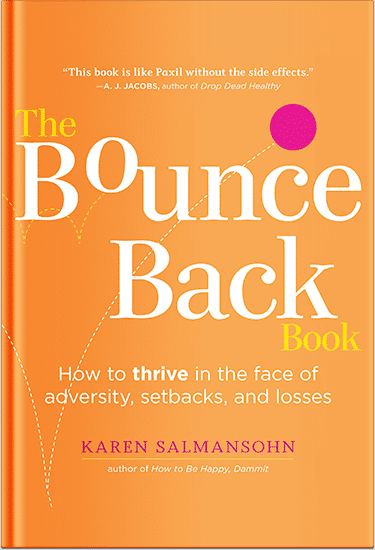
Please go to your inbox and click the confirmation link we just emailed you so you can start to get your free weekly NotSalmon Happiness Tools! Plus, you’ll immediately receive a chunklette of Karen’s bestselling Bounce Back Book!